<?xml version="1.0" encoding="utf-8"?>


<feed xmlns="http://www.w3.org/2005/Atom"
    xmlns:fh="http://purl.org/syndication/history/1.0"
    xmlns:at="http://purl.org/atompub/tombstones/1.0">

    <title>Publ: Development Blog</title>
    <subtitle>A personal publishing system for the modern web</subtitle>
    <link href="http://publ.beesbuzz.biz/blog/feed?tag=demo" rel="self" />
    <link href="http://publ.beesbuzz.biz/blog/feed" rel="current" />
    <link href="https://busybee.superfeedr.com" rel="hub" />
    
    
    <link href="http://publ.beesbuzz.biz/blog/" />
    <fh:archive />
    <id>tag:publ.beesbuzz.biz,2020-01-07:blog</id>
    <updated>2018-09-20T22:58:10-07:00</updated>

    
    <entry>
        <title>The shape of the float (v0.3.1)</title>
        <link href="http://publ.beesbuzz.biz/blog/660-The-shape-of-the-float-v0.3.1" rel="alternate" type="text/html" />
        <published>2018-09-20T22:58:10-07:00</published>
        <updated>2018-09-20T22:58:10-07:00</updated>
        <id>urn:uuid:fe9982b7-455a-52ee-8007-db46c4f63ad4</id>
        <author><name>fluffy</name></author>
        <content type="html">
<![CDATA[
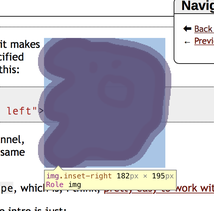
<p><a href="http://publ.beesbuzz.biz/blog/660-The-shape-of-the-float-v0.3.1"><img src="http://publ.beesbuzz.biz/static/_img/88/afb1/woo-ghost_73933777ff.png" width="182" height="195" loading="lazy" class="inset-right" style="shape-outside: url('http://publ.beesbuzz.biz/static/_img/88/afb1/woo-ghost_73933777ff.png')" alt="woo-ghost.png" title="a tightly-wrapped ghost!"></a></p><p>Did you know that CSS3 has a style called <code>shape-outline</code>? It&rsquo;s pretty neat, it makes it so that a floated object gets a shape based on the alpha channel of its specified image. But it&rsquo;s kind of a pain to set up; in plain HTML it looks something like this:</p><figure class="blockcode"><pre class="highlight" data-language="html" data-line-numbers><span class="line" id="e660cb1L1"><a class="line-number" href="http://publ.beesbuzz.biz/blog/660-The-shape-of-the-float-v0.3.1#e660cb1L1"></a><span class="line-content"><span class="p">&lt;</span><span class="nt">img</span> <span class="na">src</span><span class="o">=</span><span class="s">&quot;/path/to/image.png&quot;</span> <span class="na">width</span><span class="o">=</span><span class="s">&quot;320&quot;</span> <span class="na">height</span><span class="o">=</span><span class="s">&quot;320&quot;</span></span></span>
<span class="line" id="e660cb1L2"><a class="line-number" href="http://publ.beesbuzz.biz/blog/660-The-shape-of-the-float-v0.3.1#e660cb1L2"></a><span class="line-content">    <span class="na">style</span><span class="o">=</span><span class="s">&quot;shape-outline:url(&#39;/path/to/image.png&#39;);float: left&quot;</span><span class="p">&gt;</span></span></span>
</pre></figure><p>and if you want a different shape mask for your image than its own alpha channel, you have to do a bunch of stuff like making sure that the image sizes are the same and whatever.</p>

<p><a href="http://publ.beesbuzz.biz/blog/660-The-shape-of-the-float-v0.3.1"><img src="http://publ.beesbuzz.biz/static/_img/b5/0098/rawr_fe8a4fcea1_320x235.jpg" width="320" height="235" srcset="http://publ.beesbuzz.biz/static/_img/b5/0098/rawr_fe8a4fcea1_320x235.jpg 1x, http://publ.beesbuzz.biz/static/_img/b5/0098/rawr_fe8a4fcea1.jpg 2x" loading="lazy" class="inset-left" style="shape-outside: url('http://publ.beesbuzz.biz/static/_img/90/cc67/rawr-mask_fd223776fc_320x235.png')" alt="rawr.jpg" title="rawr, now with extra wrapping"></a></p><p>But in Publ there is now an additional attribute you can set on an image, <code>shape</code>, which is, I think, <a href="http://publ.beesbuzz.biz/image-renditions#style">pretty easy to work with</a>.</p><p>For example, the code for the little ghost in the intro is just:</p><figure class="blockcode"><figcaption><a href="http://publ.beesbuzz.biz/static/_img/88/afb1/woo-ghost_73933777ff.png"></a></figcaption><pre class="highlight" data-language="markdown" data-line-numbers><span class="line" id="e660cb2L1"><a class="line-number" href="http://publ.beesbuzz.biz/blog/660-The-shape-of-the-float-v0.3.1#e660cb2L1"></a><span class="line-content"></span></span>
</pre></figure><p>and the code for this rawr right here is:</p><figure class="blockcode"><figcaption><a href="http://publ.beesbuzz.biz/static/_img/b5/0098/rawr_fe8a4fcea1_320x235.jpg"></a></figcaption><pre class="highlight" data-language="markdown" data-line-numbers><span class="line" id="e660cb3L1"><a class="line-number" href="http://publ.beesbuzz.biz/blog/660-The-shape-of-the-float-v0.3.1#e660cb3L1"></a><span class="line-content"></span></span>
</pre></figure><p>See, the rawr image is a .jpg file (which is why its box still overwrites the code blocks here, since there&rsquo;s no transparency), and it&rsquo;s pretty sparse, so I made a mask image for it, which looks like this:</p><p><a href="http://publ.beesbuzz.biz/blog/660-The-shape-of-the-float-v0.3.1"><img src="http://publ.beesbuzz.biz/static/_img/90/cc67/rawr-mask_fd223776fc_320x235.png" width="320" height="235" srcset="http://publ.beesbuzz.biz/static/_img/90/cc67/rawr-mask_fd223776fc_320x235.png 1x, http://publ.beesbuzz.biz/static/_img/90/cc67/rawr-mask_fd223776fc.png 2x" loading="lazy" alt="rawr-mask.png" title="the rawr mask"></a></p><p>On that note I also fixed a bug where you couldn&rsquo;t add a background to a transparent paletted PNG (oops).</p><p><a href="http://publ.beesbuzz.biz/blog/660-The-shape-of-the-float-v0.3.1"><img src="http://publ.beesbuzz.biz/static/_img/02/68fa/notsmiley_72735c3f5a_200x200.png" width="200" height="200" srcset="http://publ.beesbuzz.biz/static/_img/02/68fa/notsmiley_72735c3f5a_200x200.png 1x, http://publ.beesbuzz.biz/static/_img/02/68fa/notsmiley_72735c3f5a_400x400.png 2x" loading="lazy" class="inset-left" style="shape-outside: url('http://publ.beesbuzz.biz/static/_img/90/cc67/rawr-mask_fd223776fc_200x147.png')" alt="notsmiley.png" title="a smiley shaped like a rawr"></a><a href="http://publ.beesbuzz.biz/blog/660-The-shape-of-the-float-v0.3.1"><img src="http://publ.beesbuzz.biz/static/_img/b5/0098/rawr_fe8a4fcea1_200x147.jpg" width="200" height="147" srcset="http://publ.beesbuzz.biz/static/_img/b5/0098/rawr_fe8a4fcea1_200x147.jpg 1x, http://publ.beesbuzz.biz/static/_img/b5/0098/rawr_fe8a4fcea1_400x293.jpg 2x" loading="lazy" class="inset-right" style="shape-outside: url('http://publ.beesbuzz.biz/static/_img/02/68fa/notsmiley_72735c3f5a_200x200.png')" alt="rawr.jpg" title="a rawr shaped like a smiley"></a></p><p>You can also mix-and-match shapes and masks, as I have done here where the not-smiley has the rawr mask and vice-versa. This can get really confusing, especially if the images are different sizes, but Publ attempts to make a best attempt to size them consistently with one another. You might just want to always have your mask image have the same aspect ratio as the base image, however, just to keep things a bit more sensible. Also I am mostly writing this extra-verbose text to have extra stuff to wrap around the images. While I&rsquo;m here I&rsquo;d might as well mention that mask images can come from any of the same sources as rendition images, <em>but</em> non-rendition images won&rsquo;t be subject to the same sizing (as CSS3 does not provide any means of resizing the outline) so for example if you have your mask stored as a static image (i.e. <code>@layout/thing-mask.png</code>) it <em>won&rsquo;t</em> be scaled along with the image as it&rsquo;s being laid out. Although if the image being laid out is also a static image then it may or may not actually be sized at the same scale. I&rsquo;m not sure; the spec is pretty vague about this and kind of handwaves about it. So really you only want to set shape masks on local/rendered images, and most of the time you&rsquo;ll probably want to use the simple <code>shape=True</code> form since that&rsquo;s the easiest to deal with.</p><p>And, note that the output shape will always be in the same format as the input image (i.e. a .png or a .gif or whatever), regardless of the ouput format set on the image tag; for example, <code>![](foo.png{shape=True,format=&#39;jpg&#39;})</code> will still serve up a PNG of the image. If your PNG is big (and that&rsquo;s why you&rsquo;re telling it to render as a JPEG), your shape mask will also be pretty big. So, for shaped images it&rsquo;s often a good idea to make a separate PNG8 for the shape mask anyway.</p><p>I have considered making the shape mask only write out a monochrome PNG that only preserves the shape in the alpha channel, but I wanted to keep support for one of the other CSS attributes, <code>shape-image-threshold</code>, which lets you specify the alpha threshold to use for the mask. Always flattening to a monochrome PNG wouldn&rsquo;t allow for that. So, I opted to keep it simple for now, but this is certainly something to possibly revisit later. Perhaps as a compromise I&rsquo;ll make it an RGBA PNG that is filled only with a solid color but preserves the original alpha channel.</p><p>Anyway! With all that said, you still need to set the stylesheet rules yourself. Well, you don&rsquo;t <em>need</em> to; you can certainly do something like:</p><figure class="blockcode"><figcaption><a href="http://publ.beesbuzz.biz/blog/foo.png{style=&#34;float:left&#34;,shape=True}"></a></figcaption><pre class="highlight" data-language="markdown" data-line-numbers><span class="line" id="e660cb4L1"><a class="line-number" href="http://publ.beesbuzz.biz/blog/660-The-shape-of-the-float-v0.3.1#e660cb4L1"></a><span class="line-content"></span></span>
</pre></figure><p>but for a nice responsive design you should instead do:</p><figure class="blockcode"><figcaption><a href="http://publ.beesbuzz.biz/blog/foo.png{img_class=&#34;inset-left&#34;,shape=True}"></a></figcaption><pre class="highlight" data-language="markdown" data-line-numbers><span class="line" id="e660cb5L1"><a class="line-number" href="http://publ.beesbuzz.biz/blog/660-The-shape-of-the-float-v0.3.1#e660cb5L1"></a><span class="line-content"></span></span>
</pre></figure><p>and then have a CSS rule like, for example:</p><figure class="blockcode"><pre class="highlight" data-language="css" data-line-numbers><span class="line" id="e660cb6L1"><a class="line-number" href="http://publ.beesbuzz.biz/blog/660-The-shape-of-the-float-v0.3.1#e660cb6L1"></a><span class="line-content"><span class="p">.</span><span class="nc">inset-left</span><span class="w"> </span><span class="p">{</span></span></span>
<span class="line" id="e660cb6L2"><a class="line-number" href="http://publ.beesbuzz.biz/blog/660-The-shape-of-the-float-v0.3.1#e660cb6L2"></a><span class="line-content"><span class="w">    </span><span class="k">float</span><span class="p">:</span><span class="w"> </span><span class="kc">left</span><span class="p">;</span></span></span>
<span class="line" id="e660cb6L3"><a class="line-number" href="http://publ.beesbuzz.biz/blog/660-The-shape-of-the-float-v0.3.1#e660cb6L3"></a><span class="line-content"><span class="w">    </span><span class="k">shape-margin</span><span class="p">:</span><span class="w"> </span><span class="mi">1</span><span class="kt">ex</span><span class="p">;</span></span></span>
<span class="line" id="e660cb6L4"><a class="line-number" href="http://publ.beesbuzz.biz/blog/660-The-shape-of-the-float-v0.3.1#e660cb6L4"></a><span class="line-content"><span class="w">    </span><span class="k">margin</span><span class="p">:</span><span class="w"> </span><span class="mi">1</span><span class="kt">ex</span><span class="p">;</span></span></span>
<span class="line" id="e660cb6L5"><a class="line-number" href="http://publ.beesbuzz.biz/blog/660-The-shape-of-the-float-v0.3.1#e660cb6L5"></a><span class="line-content"><span class="p">}</span></span></span>
</pre></figure><p>and then you have the ability to override that rule with <code>@media</code> queries or whatever.</p><p>Anyway, if you want to diagnose the shape margins, most modern browsers&#39; DOM/element/etc. inspectors will show you both the outline and its margin; for example, here&rsquo;s Safari&rsquo;s DOM inspector showing the outline of the ghost:</p><p><a href="http://publ.beesbuzz.biz/blog/660-The-shape-of-the-float-v0.3.1"><img src="http://publ.beesbuzz.biz/static/_img/55/79f8/ghost-inspector_dd3cf70bce_214x211.png" width="214" height="211" srcset="http://publ.beesbuzz.biz/static/_img/55/79f8/ghost-inspector_dd3cf70bce_214x211.png 1x, http://publ.beesbuzz.biz/static/_img/55/79f8/ghost-inspector_dd3cf70bce_428x423.png 2x" loading="lazy" alt="ghost-inspector.png" title="the ghost's shape"></a></p><p>Anyway, the astute observer of the above might notice two new image format options, <code>img_class</code> and <code>style</code>. Previously there was only <code>div_class</code> which adds a style rule to the image set container, but <code>img_class</code> adds a CSS class to the individual <code>&lt;img&gt;</code> tags, and <code>style</code> adds a CSS rule to the image (but not to the <code>div</code>); <code>img_style</code> is also an alias for <code>style</code>. And, for the sake of symmetry I also added <code>div_style</code> even though it probably should never be used. If both <code>style</code> and <code>img_style</code> are specified, they will be combined together.</p><p>Note that the stacking behavior for these attributes can be a little counterintuitive. For an example of how this works:</p><figure class="blockcode"><figcaption>[{div<em>class=&ldquo;foo&rdquo;,img</em>class=&ldquo;bar&rdquo;,img<em>style=&ldquo;top img</em>style&rdquo;,style=&ldquo;top style&rdquo;}](</figcaption><pre class="highlight" data-language="markdown" data-line-numbers><span class="line" id="e660cb7L1"><a class="line-number" href="http://publ.beesbuzz.biz/blog/660-The-shape-of-the-float-v0.3.1#e660cb7L1"></a><span class="line-content">img-1.png{img_style=&quot;inner img_style&quot;} |</span></span>
<span class="line" id="e660cb7L2"><a class="line-number" href="http://publ.beesbuzz.biz/blog/660-The-shape-of-the-float-v0.3.1#e660cb7L2"></a><span class="line-content">    img-2.png{style=&quot;inner style&quot;}</span></span>
<span class="line" id="e660cb7L3"><a class="line-number" href="http://publ.beesbuzz.biz/blog/660-The-shape-of-the-float-v0.3.1#e660cb7L3"></a><span class="line-content">    )</span></span>
</pre></figure><p>becomes (roughly):</p><figure class="blockcode"><pre class="highlight" data-language="html" data-line-numbers><span class="line" id="e660cb8L1"><a class="line-number" href="http://publ.beesbuzz.biz/blog/660-The-shape-of-the-float-v0.3.1#e660cb8L1"></a><span class="line-content"><span class="p">&lt;</span><span class="nt">div</span> <span class="na">class</span><span class="o">=</span><span class="s">&quot;foo&quot;</span><span class="p">&gt;</span></span></span>
<span class="line" id="e660cb8L2"><a class="line-number" href="http://publ.beesbuzz.biz/blog/660-The-shape-of-the-float-v0.3.1#e660cb8L2"></a><span class="line-content"><span class="p">&lt;</span><span class="nt">img</span> <span class="na">src</span><span class="o">=</span><span class="s">&quot;img-1.png&quot;</span> <span class="na">style</span><span class="o">=</span><span class="s">&quot;inner img_style;top style&quot;</span><span class="p">&gt;</span></span></span>
<span class="line" id="e660cb8L3"><a class="line-number" href="http://publ.beesbuzz.biz/blog/660-The-shape-of-the-float-v0.3.1#e660cb8L3"></a><span class="line-content"><span class="p">&lt;</span><span class="nt">img</span> <span class="na">src</span><span class="o">=</span><span class="s">&quot;img-2.png&quot;</span> <span class="na">style</span><span class="o">=</span><span class="s">&quot;top img_style;inner style&quot;</span><span class="p">&gt;</span></span></span>
<span class="line" id="e660cb8L4"><a class="line-number" href="http://publ.beesbuzz.biz/blog/660-The-shape-of-the-float-v0.3.1#e660cb8L4"></a><span class="line-content"><span class="p">&lt;/</span><span class="nt">div</span><span class="p">&gt;</span></span></span>
</pre></figure><p>which is to say, <code>img_style</code> and <code>style</code> both override individually and then at the end they combine together. I am sure there is something useful for someone in here, but honestly I don&rsquo;t really care for the idea of people setting inline styles in the first place, so I&rsquo;m not too concerned about how crappy <a href="http://publ.beesbuzz.biz/image-renditions">the docs</a> are at the moment.</p><p>Anyway, if you really want to use <code>img_style</code> and <code>style</code> my general guidance would be:</p>
<ul>
<li>Put <code>div_style</code> and <code>img_style</code> in the alt-text section (i.e. in the <code>[]</code>s)</li>
<li>Put <code>style</code> in on the individual images (i.e. the <code>()</code>s)</li>
</ul>
<p>&hellip; and oh god I&rsquo;m just realizing how terrible my docs are and how much I&rsquo;d love to have an end-user of Publ to actually give doc feedback or maybe a proper technical writer to write the docs to make a lick of sense to someone who isn&rsquo;t me. Sigh.</p><p>Anyway, tl;dr: Publ now makes it easy to tightly wrap text around floated images.</p><p>Oh, and I also fixed a regression in the PonyORM migration that made <code>DRAFT</code> and <code>DELETED</code>/<code>GONE</code> publish statuses not work right. Oops.</p>

]]>
        </content>
    </entry>
    
    <entry>
        <title>Here&#39;s some cat pictures for you</title>
        <link href="http://publ.beesbuzz.biz/blog/249-Here-s-some-cat-pictures-for-you" rel="alternate" type="text/html" />
        <published>2018-04-18T16:00:00-07:00</published>
        <updated>2018-04-18T16:00:00-07:00</updated>
        <id>urn:uuid:dcb8ca7a-2091-4d1d-aed2-6a1061064ff3</id>
        <author><name>fluffy</name></author>
        <content type="html">
<![CDATA[

<div class="gallery"><a href="http://publ.beesbuzz.biz/blog/249-Here-s-some-cat-pictures-for-you"></a><a href="http://publ.beesbuzz.biz/blog/249-Here-s-some-cat-pictures-for-you"></a><a href="http://publ.beesbuzz.biz/blog/249-Here-s-some-cat-pictures-for-you"></a><a href="http://publ.beesbuzz.biz/blog/249-Here-s-some-cat-pictures-for-you"></a><a href="http://publ.beesbuzz.biz/blog/249-Here-s-some-cat-pictures-for-you"></a><a href="http://publ.beesbuzz.biz/blog/249-Here-s-some-cat-pictures-for-you"></a><a href="http://publ.beesbuzz.biz/blog/249-Here-s-some-cat-pictures-for-you"></a><a href="http://publ.beesbuzz.biz/blog/249-Here-s-some-cat-pictures-for-you"><img src="http://publ.beesbuzz.biz/static/_img/16/15d7/DSC01272-Version-2_dd761f516d_240x240_255-0-1790-1535.jpg" width="240" height="240" srcset="http://publ.beesbuzz.biz/static/_img/16/15d7/DSC01272-Version-2_dd761f516d_240x240_255-0-1790-1535.jpg 1x, http://publ.beesbuzz.biz/static/_img/16/15d7/DSC01272-Version-2_dd761f516d_480x480_255-0-1790-1535.jpg 2x" loading="lazy" alt="DSC01272 - Version 2.jpg"></a><a href="http://publ.beesbuzz.biz/blog/249-Here-s-some-cat-pictures-for-you"><img src="http://publ.beesbuzz.biz/static/_img/6b/3e9e/DSC07661_b79cc58592_240x240_386-0-1921-1535.jpg" width="240" height="240" srcset="http://publ.beesbuzz.biz/static/_img/6b/3e9e/DSC07661_b79cc58592_240x240_386-0-1921-1535.jpg 1x, http://publ.beesbuzz.biz/static/_img/6b/3e9e/DSC07661_b79cc58592_480x480_386-0-1921-1535.jpg 2x" loading="lazy" alt="DSC07661.jpg" title="In particular, image galleries support a few neat things."></a><a href="http://publ.beesbuzz.biz/blog/249-Here-s-some-cat-pictures-for-you"><img src="http://publ.beesbuzz.biz/static/_img/40/e4a5/DSC07672_3ba5b6d9a0_240x240_386-0-1921-1535.jpg" width="240" height="240" srcset="http://publ.beesbuzz.biz/static/_img/40/e4a5/DSC07672_3ba5b6d9a0_240x240_386-0-1921-1535.jpg 1x, http://publ.beesbuzz.biz/static/_img/40/e4a5/DSC07672_3ba5b6d9a0_480x480_386-0-1921-1535.jpg 2x" loading="lazy" alt="DSC07672.jpg" title="For example, the blog and feed templates will only show a few images."></a><a href="http://publ.beesbuzz.biz/blog/249-Here-s-some-cat-pictures-for-you"></a><a href="http://publ.beesbuzz.biz/blog/249-Here-s-some-cat-pictures-for-you"></a><a href="http://publ.beesbuzz.biz/blog/249-Here-s-some-cat-pictures-for-you"></a><a href="http://publ.beesbuzz.biz/blog/249-Here-s-some-cat-pictures-for-you"></a><a href="http://publ.beesbuzz.biz/blog/249-Here-s-some-cat-pictures-for-you"></a><a href="http://publ.beesbuzz.biz/blog/249-Here-s-some-cat-pictures-for-you"></a><a href="http://publ.beesbuzz.biz/blog/249-Here-s-some-cat-pictures-for-you"></a><a href="http://publ.beesbuzz.biz/blog/249-Here-s-some-cat-pictures-for-you"></a><a href="http://publ.beesbuzz.biz/blog/249-Here-s-some-cat-pictures-for-you"></a><a href="http://publ.beesbuzz.biz/blog/249-Here-s-some-cat-pictures-for-you"></a><a href="http://publ.beesbuzz.biz/blog/249-Here-s-some-cat-pictures-for-you"></a><a href="http://publ.beesbuzz.biz/blog/249-Here-s-some-cat-pictures-for-you"></a>There are 19 more cat pictures!</div>


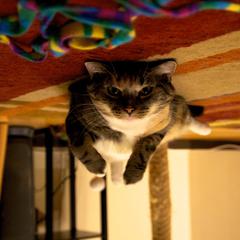
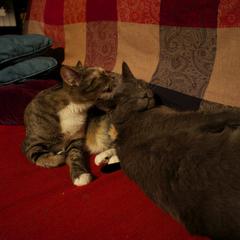
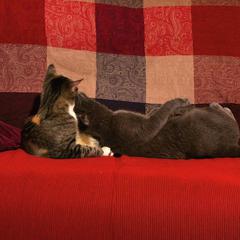
<p>(If it isn&rsquo;t obvious, many of the images have captions. Try clicking on one!)</p><p>Anyway, this means Publ is now ready for me to start migrating my site over to
it. Eep/yay!</p><p>Oh, and if you want to see what the Markdown for the gallery looks like, here you go:</p><figure class="blockcode"><figcaption>[{240,240,resize=&ldquo;fill&rdquo;,count<em>offset=7,div</em>class=&ldquo;gallery&rdquo;,more<em>text=&ldquo;There are {remain} more cat pictures!&rdquo;,more</em>class=&ldquo;caption&rdquo;}](</figcaption><pre class="highlight" data-language="markdown" data-line-numbers><span class="line" id="e249cb1L1"><a class="line-number" href="http://publ.beesbuzz.biz/blog/249-Here-s-some-cat-pictures-for-you#e249cb1L1"></a><span class="line-content">IMG_20130701_223914.jpg &quot;Why are there cat photos here?&quot;</span></span>
<span class="line" id="e249cb1L2"><a class="line-number" href="http://publ.beesbuzz.biz/blog/249-Here-s-some-cat-pictures-for-you#e249cb1L2"></a><span class="line-content">|1373225533243.jpg</span></span>
<span class="line" id="e249cb1L3"><a class="line-number" href="http://publ.beesbuzz.biz/blog/249-Here-s-some-cat-pictures-for-you#e249cb1L3"></a><span class="line-content">|1377619425569.jpg</span></span>
<span class="line" id="e249cb1L4"><a class="line-number" href="http://publ.beesbuzz.biz/blog/249-Here-s-some-cat-pictures-for-you#e249cb1L4"></a><span class="line-content">|1383506651641.jpg</span></span>
<span class="line" id="e249cb1L5"><a class="line-number" href="http://publ.beesbuzz.biz/blog/249-Here-s-some-cat-pictures-for-you#e249cb1L5"></a><span class="line-content">|DSC00124.jpg &quot;Well, I thought this would be a cute way to demonstrate...&quot;</span></span>
<span class="line" id="e249cb1L6"><a class="line-number" href="http://publ.beesbuzz.biz/blog/249-Here-s-some-cat-pictures-for-you#e249cb1L6"></a><span class="line-content">|DSC00125.jpg &quot;Image galleries!&quot;</span></span>
<span class="line" id="e249cb1L7"><a class="line-number" href="http://publ.beesbuzz.biz/blog/249-Here-s-some-cat-pictures-for-you#e249cb1L7"></a><span class="line-content">|DSC00605.jpg</span></span>
<span class="line" id="e249cb1L8"><a class="line-number" href="http://publ.beesbuzz.biz/blog/249-Here-s-some-cat-pictures-for-you#e249cb1L8"></a><span class="line-content">|DSC01272 - Version 2.jpg{fill_crop_x=.33}</span></span>
<span class="line" id="e249cb1L9"><a class="line-number" href="http://publ.beesbuzz.biz/blog/249-Here-s-some-cat-pictures-for-you#e249cb1L9"></a><span class="line-content">|DSC07661.jpg &quot;In particular, image galleries support a few neat things.&quot;</span></span>
<span class="line" id="e249cb1L10"><a class="line-number" href="http://publ.beesbuzz.biz/blog/249-Here-s-some-cat-pictures-for-you#e249cb1L10"></a><span class="line-content">|DSC07672.jpg &quot;For example, the blog and feed templates will only show a few images.&quot;</span></span>
<span class="line" id="e249cb1L11"><a class="line-number" href="http://publ.beesbuzz.biz/blog/249-Here-s-some-cat-pictures-for-you#e249cb1L11"></a><span class="line-content">|DSC07926.jpg</span></span>
<span class="line" id="e249cb1L12"><a class="line-number" href="http://publ.beesbuzz.biz/blog/249-Here-s-some-cat-pictures-for-you#e249cb1L12"></a><span class="line-content">|DSC07929.jpg</span></span>
<span class="line" id="e249cb1L13"><a class="line-number" href="http://publ.beesbuzz.biz/blog/249-Here-s-some-cat-pictures-for-you#e249cb1L13"></a><span class="line-content">|DSC07935.jpg &quot;And those images will link to the entry itself.&quot;</span></span>
<span class="line" id="e249cb1L14"><a class="line-number" href="http://publ.beesbuzz.biz/blog/249-Here-s-some-cat-pictures-for-you#e249cb1L14"></a><span class="line-content">|DSC08896.jpg &quot;But then when you click through, the whole gallery appears!&quot;</span></span>
<span class="line" id="e249cb1L15"><a class="line-number" href="http://publ.beesbuzz.biz/blog/249-Here-s-some-cat-pictures-for-you#e249cb1L15"></a><span class="line-content">|DSC09705.jpg &quot;And we use Lightbox.js to present them nicely.&quot;</span></span>
<span class="line" id="e249cb1L16"><a class="line-number" href="http://publ.beesbuzz.biz/blog/249-Here-s-some-cat-pictures-for-you#e249cb1L16"></a><span class="line-content">|IMG_0072.jpg &quot;This is how I feel too.&quot;</span></span>
<span class="line" id="e249cb1L17"><a class="line-number" href="http://publ.beesbuzz.biz/blog/249-Here-s-some-cat-pictures-for-you#e249cb1L17"></a><span class="line-content">|IMG_0074.jpg</span></span>
<span class="line" id="e249cb1L18"><a class="line-number" href="http://publ.beesbuzz.biz/blog/249-Here-s-some-cat-pictures-for-you#e249cb1L18"></a><span class="line-content">|IMG_0086.jpg</span></span>
<span class="line" id="e249cb1L19"><a class="line-number" href="http://publ.beesbuzz.biz/blog/249-Here-s-some-cat-pictures-for-you#e249cb1L19"></a><span class="line-content">|IMG_0118.jpg</span></span>
<span class="line" id="e249cb1L20"><a class="line-number" href="http://publ.beesbuzz.biz/blog/249-Here-s-some-cat-pictures-for-you#e249cb1L20"></a><span class="line-content">|IMG_0122.jpg</span></span>
<span class="line" id="e249cb1L21"><a class="line-number" href="http://publ.beesbuzz.biz/blog/249-Here-s-some-cat-pictures-for-you#e249cb1L21"></a><span class="line-content">|IMG_0131.jpg</span></span>
<span class="line" id="e249cb1L22"><a class="line-number" href="http://publ.beesbuzz.biz/blog/249-Here-s-some-cat-pictures-for-you#e249cb1L22"></a><span class="line-content">|IMG_0133.jpg</span></span>
<span class="line" id="e249cb1L23"><a class="line-number" href="http://publ.beesbuzz.biz/blog/249-Here-s-some-cat-pictures-for-you#e249cb1L23"></a><span class="line-content">)</span></span>
</pre></figure><p>The <code>{240,240,resize=&quot;fill&quot;,count_offset=7}</code> in the alt text means &ldquo;make thumbnails 240x240, and in a view with
a limit, skip the first 7 entries&rdquo; (this is how <code>DSC01272 - Version 2.jpg</code> is used as the poster frame
on the index and feed), and each image is separated by a <code>|</code>. Oh, and spaces are allowed in filenames, and
newlines are allowed in the image specification.</p><p>Also, the <code>{fill_crop_x=.33}</code> parameter on <code>DSC01272 - Version 2.jpg</code> shifts the crop rectangle a little bit so
that Fiona is nicely centered in the thumbnail square. :)</p><p>Another thing to note: these files (including the .md file) are all stored in a directory called <code>/blog/catpics</code>,
but the entry has a <code>Category: blog</code> on it to make it appear as if it&rsquo;s in the <code>blog</code> category. Image file lookups
are relative to the markdown file, not to the URL, so I can move this directory anywhere on the site and it will
continue to work.</p>

]]>
        </content>
    </entry>


</feed>